Does Your Site Need a Redesign, a Rebuild, or Neither?
The URL map is the part of a redesign that fails all at once. Everything else moves gradually, and Google documents roughly how long the movement should last.
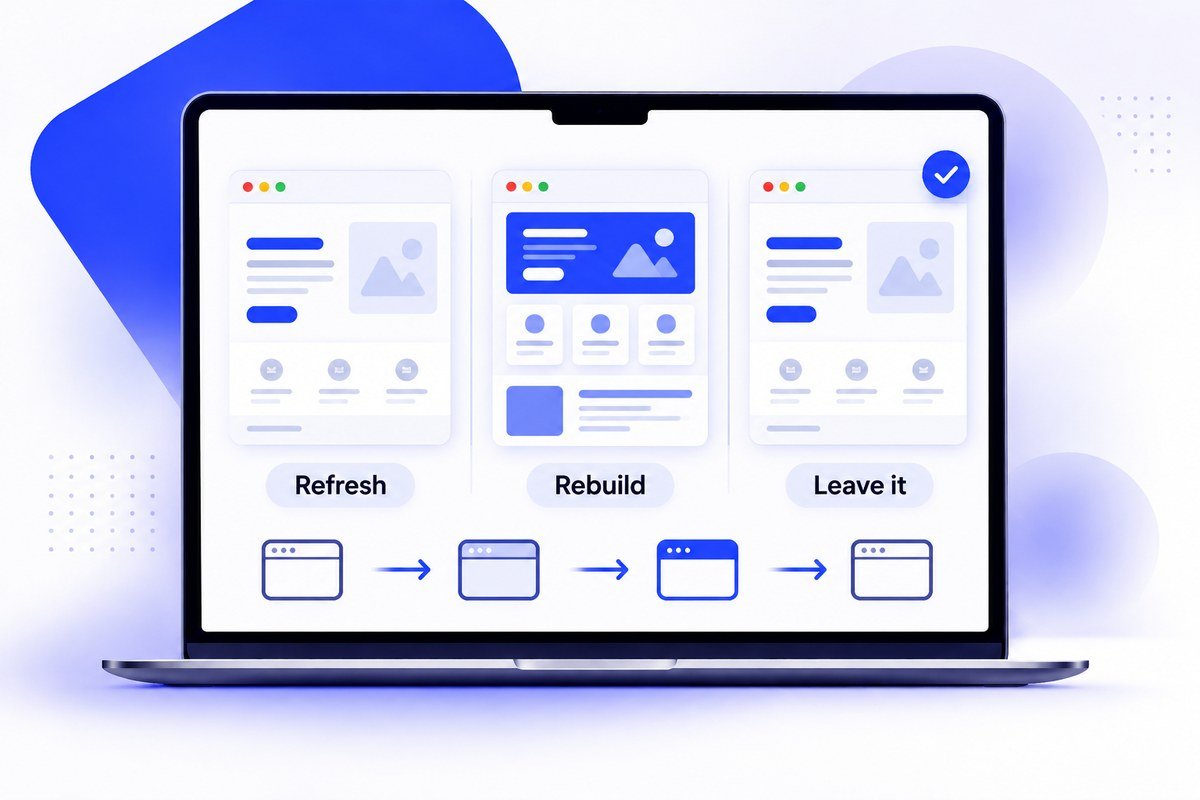
Three different jobs get sold under one word. A redesign changes how the site looks. A rebuild replaces what it is made of. Maintenance fixes what is broken without touching either. They cost wildly different amounts, and the most expensive mistake in this category is paying for the first when all you needed was the third. Here is how to tell which you are looking at, and what genuinely happens to your search rankings in each case — which is less dramatic than the sales pitch for any of them suggests.
A redesign changes how a site looks while keeping its structure and URLs; a rebuild replaces the underlying code and usually the URLs too. The failure that costs most is unmapped URLs. Google says a permanent redirect does not cause a loss in PageRank, so link equity survives a correct map — but that is a statement about link equity, not a promise that rankings will be unchanged, because a redesign usually rewrites copy and internal links as well.
The Three Jobs, and How to Tell Them Apart
Open your site on a phone on mobile data, not office wifi. If it loads quickly, you can read everything without pinching, the forms work and the content is accurate but it simply looks like it was designed some years ago — that is a redesign — the cheaper of the two big jobs. If it is slow in a way that no amount of image compression fixes, if adding a page means paying a developer, if the plugins have outgrown each other, or if nobody can tell you where the content actually lives — that is a rebuild. And if the real complaint is that three phone numbers are wrong and the opening hours have been stale since last year, that is maintenance, and paying for a redesign to fix it is the most common waste of money in this trade.
What Actually Happens to Your Rankings
The fear is reasonable. The diagnosis usually is not. Google’s documentation on moving a site with URL changes says permanent redirects such as 301 and 308 do not cause a loss in PageRank, and that sentence gets quoted far beyond what it actually covers. It is about link equity surviving a redirect. It is not a statement that your rankings will come through unchanged, and they may not, because a redesign rarely changes only the design — copy gets rewritten, headings move, internal links are rebuilt, different things load first. Google expects movement and says so plainly: fluctuation during a move is normal.
The design is not the dangerous part. The URL map is, because it is the one that fails all at once instead of gradually. Every old address needs a server-side permanent redirect to the single new page replacing it. Google’s first instruction is to redirect straight to the final destination, and only if that is impossible to keep the chain short — three hops or fewer. It warns specifically against sending a large number of old URLs to an unrelated page such as the new home page. Content that genuinely no longer exists should return a 404 or 410.
“A redesign moves a dozen things at once. Only one of them fails all at once, and that is the URL map.”
How Long the Wobble Lasts
Google says you may see ranking fluctuations while it recrawls and reindexes, and that for a medium-sized site it can take a few weeks or more before the new URLs start showing. There is no published crawl schedule; Google says it depends on how fast your servers are and how many URLs are involved. Submitting a sitemap speeds up discovery. The part worth planning around is that the move happens URL by URL — Google has to crawl every old and new address at least once before it considers the move done. So a two-week panic after launch is usually a site mid-move, not a site that has been penalised. Google also advises keeping the redirects for at least a year, because links out on the web still point at the old addresses long after you have forgotten them.
The Case for Doing Nothing Yet
Plenty of sites that feel tired are fine. If yours loads fast, works on a phone, passes a contrast check and search engines can read it, then "it looks dated" is a real problem but a small one, and the money usually does more good somewhere else — more pages covering what customers actually search for, or better photography. The honest test is whether you can name what the site is failing to do. "Enquiries dropped" is a reason. "We are bored of it" is not, at least not at rebuild prices. Our piece on the signs a site is costing you customers is a more useful checklist than any design trend article, because every item on it is something you can verify yourself in an afternoon.
What Makes a Rebuild Cost More Than a Redesign
Content migration, almost always. Moving a visual design is a design job with a known shape; moving four hundred pages of content, checking each one still reads correctly, rebuilding the internal links between them and mapping every old URL to a new one is slow work, and it scales with page count, not with ambition. The second cost is anything with data behind it — a booking system, a member area, a product catalogue with live stock. Those have to be rebuilt and tested, not restyled. If a quote for a rebuild looks suspiciously close to a redesign quote, the usual explanation is that content migration has been left out, and it will reappear later as either an extra invoice or a site that launches with half its pages missing.
Where We Sit
We audit before designing anything, because the answer is sometimes that a redesign is not what the site needs. Builds run from $1,199 to $4,499 as one-time costs, and the URL map is inside that, not an invoice that turns up afterwards. What we will not promise is a ranking increase — nobody can, and a supplier who does is telling you something about themselves. If what you need is the third option and the site mostly works, a care plan from $79 a month is a far smaller cheque than a rebuild, and we would rather say that than sell you the big version.
Key Takeaways
- A redesign keeps the structure and URLs and changes the presentation. A rebuild replaces the code underneath, and usually the URLs with it.
- Google states that 301 and other permanent redirects do not cause a loss in PageRank. That covers link equity. It is not a promise that rankings hold steady, and Google says to expect some fluctuation.
- What costs rankings is unmapped URLs. Google specifically warns against redirecting many old URLs to the new home page.
- Expect fluctuation while Google recrawls. For a medium-sized site Google says it can take a few weeks or more for new URLs to show.
- Google advises keeping the redirects for as long as possible, and generally at least a year.
- If the complaint is "it looks dated" and the site is fast, accessible and crawlable, the honest answer is often neither — spend it on content.
Quick Answers
Not on its own. Google states that permanent redirects such as 301 and 308 do not cause a loss in PageRank, so a correct redirect map carries your link equity across. Rankings can still move, because a redesign usually changes copy and internal links too. What loses them outright is an old URL left pointing nowhere.
A redesign changes the presentation while the structure, content and URLs stay largely as they are. A rebuild replaces the underlying code and usually the URL structure too, which is why it costs more and needs a full redirect map.
Google says you may see fluctuations during recrawling, and that for a medium-sized site it can take a few weeks or more for the new URLs to start showing. The move completes URL by URL, so larger sites take longer.
Google advises keeping them for as long as possible and generally at least a year, because other websites continue linking to your old addresses long after the move.
If the site loads quickly on mobile data, works on a phone, is readable and crawlable, and your actual complaint is that it looks dated, then maintenance plus better content usually returns more than a rebuild does. Name the thing the site is failing to do before buying anything.
Content migration is the usual reason — mapping and checking every page and every internal link scales with page count. Anything with data behind it, such as bookings or a product catalogue, has to be rebuilt and tested rather than restyled.
Ready to Talk About Your Own Website?
Straight answers, no pressure — tell us what you're building.
More From the Blog

What "Web Designer Near Me" Actually Gets You
Google ranks local results partly on distance — that part works exactly as you expect. The question is whether distance does anything useful for this particular purchase.
Read Article
What a Real Estate Website Costs — and Why the Listings Often Cannot Be Found
Quotes run from $200 to $25,000, and the line item that breaks most of them is IDX. Worse, the way IDX is usually installed hides your listing pages from Google entirely.
Read Article
What a Law Firm Website Actually Costs — and Who Ends Up Owning It
Quotes run from $1,000 to $100,000 for what sounds like the same thing. The number matters less than a question most firms never ask until they try to leave.
Read Article